


ACT Exam Prep
Study Smarter. Pass Faster. Stay Sane.
2,000+ practice questions, detailed explanations, personalized quizzes, and progress tracking. Study on web, iPhone, or Android.

No Credit Card Needed

Plans & Pricing
Access on Web, iPhone, & Tablets
 Best Value
Starting at
$9.99
Flexible options to fit your goals and study needs
-
Unlimited practice questions
-
Detailed explanations
-
Progress tracking & analytics
-
Access on Web, iOS, & Android
-
Personalized quizzes
-
Cancel anytime
What's on the exam?
-
Reading: Ideas
-
Reading: Craft
-
Reading: Evidence
-
English: Writing
-
English: Language
-
English: Rules
-
Math: Algebra
-
Math: Geometry
-
Math: Data
-
Science: Data
-
Science: Reasoning
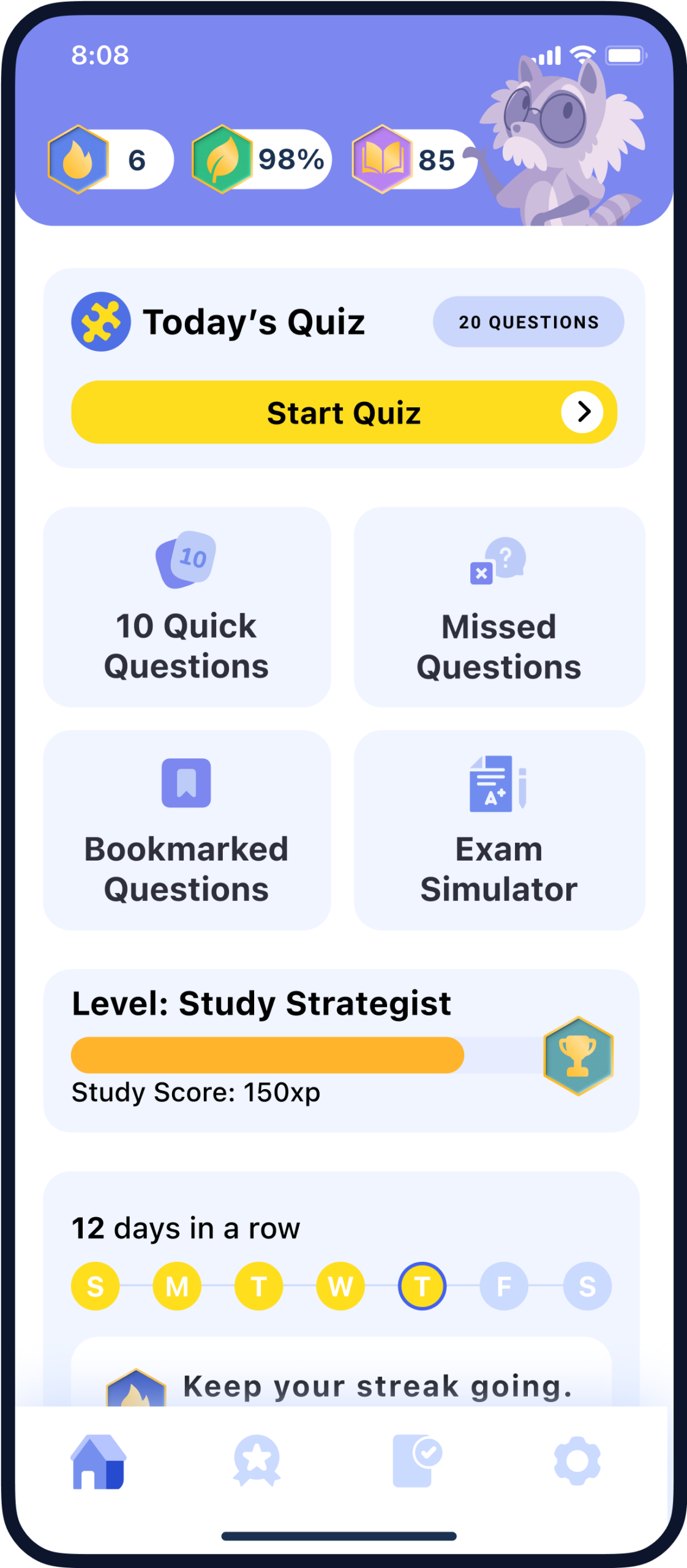
2,400+ real exam questions
Stay sharp with up-to-date content and clear explanations.
Daily goals & reminders
Stay motivated with personalized study targets.
Timed practice exams
Simulate the real test experience under pressure.
Sync across all devices
Study anytime, anywhere seamlessly.
Progress tracking
Spot your strengths and areas that need work.
Study by topic or difficulty
Focus on exactly what you need to improve.
What other test takes have to say
-
victor, 07/07/2026
I had trouble knowing where to begin with ACT prep, but this app made everything feel more manageable. I liked being able to practice by subject and review explanations after each question. The progress tracking also helped me identify the areas that needed more attention. After a few weeks of consistent practice, I felt much more confident going into the exam. -
mayalearns, 07/11/2026
This app is great for fitting ACT practice into a busy schedule. I usually completed a few questions between classes, during lunch, or before bed. The short quizzes made it easy to stay consistent without feeling burned out. I especially liked reviewing my missed questions and learning why each answer was correct. -
Jordan, 07/16/2026
The practice questions challenged me without making me want to give up. I started with the easier questions and slowly worked my way up to the harder levels. Seeing my scores improve over time gave me a big confidence boost. The explanations were clear and helped me understand the concepts instead of simply memorizing answers.
Frequently
Asked
Questions
Study tips
-
The ACT includes 131 questions across the required English, Math, and Reading sections. Students may also choose to add the optional Science section, which includes 40 additional questions.
-
The required ACT sections take about 2 hours and 5 minutes of testing time. If you add the optional Science section, it adds 40 minutes. If you add the optional Writing section, it adds another 40 minutes.
-
The ACT covers English, Math, and Reading. Students may also choose to take Science and Writing as optional add-ons. The exam measures college readiness skills such as grammar, reading comprehension, math reasoning, science interpretation, and written communication.
-
The ACT is not a pass-or-fail exam. Scores range from 1 to 36, and the score you need depends on the colleges, scholarships, or programs you are applying to.
-
The ACT is taken at approved testing centers. Students can use the official ACT test center locator during registration to find available locations near them.
-
ACT fees may vary by test option and location. The current ACT fees page lists the ACT test at $70, with optional add-ons for Science and Writing. Students should check the official ACT fees page before registering.
-
Students can register online through a MyACT account. During registration, you will choose your test date, test location, test options, and upload a photo for test-day identification.
-
ACT national test dates are offered several times throughout the year. Test dates, registration deadlines, and late registration deadlines are listed on the official ACT registration page.
-
There are no specific course prerequisites required to take the ACT. However, the exam is designed for high school students and measures skills typically learned through high school coursework.
-
Yes. Students can retake the ACT if they want to improve their score. Many students take the ACT more than once to try for a stronger score for college admissions or scholarships.
-
Yes. The SAT is another college admissions exam accepted by many colleges. The PreACT is a practice-style exam that helps students prepare for the ACT. The ACT is generally known for its English, Math, Reading, and optional Science and Writing sections.
-
We’re sorry to see you go, and if you’ve already passed your exam, congratulations! 🎉
Canceling is simple and can be done right from your phone:
- On iPhone (Apple ID):
Go to your device Settings > [your name] > Subscriptions or use this link: Manage Subscriptions on iPhone. - On Android (Google Play):
Open the Google Play Store > Account > Subscriptions, select EZ Prep, and tap Cancel subscription. You can also go directly here: Manage Subscriptions on Android.
If you need help at any point, reach out and we’ll walk you through it.
- On iPhone (Apple ID):





You’ve got the brains.
We’ve got the plan.
Let’s do this!
Find More Helpful Posts


