2 Apr 2026
Updated: 10 Mar 2026
How to Study Effectively for the CompTIA A+ Exam
If you are preparing for the CompTIA A+ exam, congratulations. You have officially decided to prove you understand hardware, software, networking, troubleshooting, and approximately 4,000 acronyms.
The good news is that passing A+ is absolutely doable. The bad news is that reading the objectives once and hoping for the best is not a strategy.
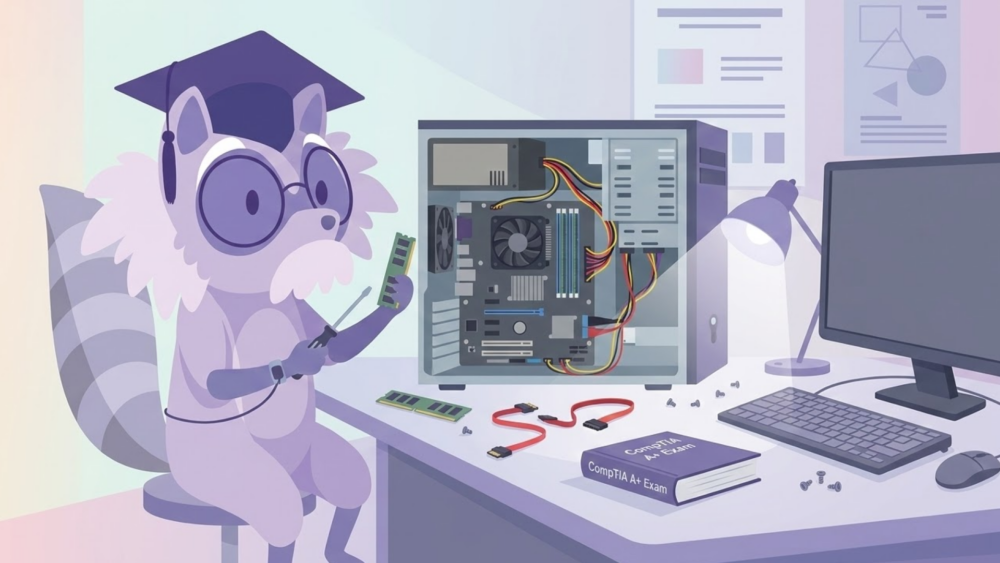
Effective studying is not about cramming harder. It is about studying smarter. Your habits, environment, and planning matter just as much as your technical knowledge.
In this guide, we will walk through how to study for the CompTIA A+ exam in a way that is structured, sustainable, and realistic. Slightly sardonic, yes. Highly effective, also yes.
Why Study Habits Matter More Than You Think
The CompTIA A+ exam tests both knowledge and application. It is not just about memorizing ports and protocols. You need to understand troubleshooting methodology, security practices, operating systems, and real world scenarios.
Good study habits help you:
- Retain information long term
- Avoid burnout
- Build problem solving skills
- Reduce test anxiety
- Perform better under timed conditions
You can find the official exam objectives on the CompTIA website here:
https://www.comptia.org/certifications/a
Those objectives are your blueprint. Everything you study should connect back to them.
Now let’s talk about how to actually make all that information stick.
Where to Study: Set the Stage for Success
Yes, your environment matters. Studying in your bed with Netflix quietly playing is technically possible. It is also technically terrible.


Choose a Dedicated Study Space
Pick a consistent location. It could be:
- A quiet desk at home
- A library study room
- A calm corner of a coffee shop
- A coworking space
Consistency trains your brain. When you sit in that spot, your brain starts associating it with focus.
Prioritize Comfort, Not Luxury
You do not need a $1,000 ergonomic throne. But you do need:
- A supportive chair
- A desk at proper height
- Minimal physical strain
If your back hurts after 20 minutes, your concentration will follow shortly after.
Lighting Matters More Than You Think
Good lighting reduces eye strain and fatigue. Natural light is ideal. If that is not available, use a bright desk lamp. Avoid dim lighting that makes you sleepy.
Limit Distractions Ruthlessly
Silence notifications. Put your phone out of reach. Use website blockers if necessary.
You are studying networking fundamentals, not checking who liked your latest post.
Keep Resources Within Reach
Have your materials ready:
- Official CompTIA objectives
- Study guides
- Practice questions
- Notes
- Flashcards
The less friction between you and your materials, the more likely you are to stay focused.
How to Study: Techniques That Actually Work
Reading the same page three times is not a study method. It is an act of desperation.
Here are techniques that are backed by research and actually improve retention.
You can explore some of the science behind spaced repetition here:
https://www.apa.org/monitor/2013/10/learning
Spaced Repetition and the Leitner System
Spaced repetition is simple. Review information at increasing intervals over time.
The Leitner System is a practical way to do this with flashcards:
- New or difficult cards go in Box 1 and are reviewed daily.
- If you answer correctly, move them to Box 2.
- Box 2 gets reviewed less often.
- Incorrect answers move back to Box 1.
This prevents you from wasting time reviewing material you already know.
For A+, use this for:
- Port numbers
- Acronyms
- Command line tools
- Troubleshooting steps
If you prefer digital tools, apps like EZ Prep or other flashcard platforms can automate this process.
The Pomodoro Technique
Study in focused intervals.
- 25 minutes of deep work
- 5 minute break
- After four cycles, take a longer break
Short bursts improve concentration and reduce burnout. During those 25 minutes, no multitasking. No scrolling. No “quick” email checks.
Just you and the OSI model.
The Feynman Technique
If you cannot explain it simply, you do not understand it.
Pick a concept like RAID configurations. Write an explanation as if teaching a beginner. Use plain language. No jargon.
If you get stuck, that is your knowledge gap. Go back and review.
This technique is especially useful for troubleshooting scenarios and network concepts.
Planning Your Study Schedule Like an Adult
Winging it is not a study plan. It is wishful thinking.
Yearly or Long Term Planning
If you have several months, map out:
- Which core (Core 1 or Core 2) you are taking first
- Major content domains
- Practice exam dates
Break the exam objectives into chunks. Assign each chunk to a time frame.
Weekly Planning
At the start of each week:
- Identify 3 to 5 key goals
- Assign specific topics to specific days
- Schedule review sessions
Example:
- Monday: Networking basics
- Tuesday: Hardware
- Wednesday: Practice questions
- Thursday: Review weak areas
- Friday: Flashcard review
Make it specific. “Study networking” is vague. “Review TCP vs UDP and complete 30 practice questions” is actionable.
Daily Planning
Each day, decide:
- What topic you are covering
- How long you will study
- What success looks like
Prioritize weak areas. It is tempting to review what you already know. Resist that temptation.
Reading Strategies for Technical Material
Technical reading is not the same as scrolling social media.
Estimate Your Reading Speed
Most adults read between 200 to 300 words per minute. Technical content is slower.
Plan accordingly. Do not assume you can read a 40 page chapter in an hour.
Skimming the Right Way
Before deep reading:
- Read headings and subheadings
- Review bold terms
- Look at diagrams
- Read summaries
This primes your brain for the material.
Highlighting Dos and Don’ts
Do:
- Highlight key concepts
- Mark definitions
- Note troubleshooting steps
Do not:
- Highlight entire paragraphs
- Treat highlighting as understanding
Highlighting should be selective and strategic. Otherwise your book becomes a neon disaster.
Note Taking Methods That Actually Help
Different people process information differently. Try a few of these.
Cornell Method
Divide your page:
- Right side for detailed notes
- Left side for keywords or questions
- Bottom for summary
This structure makes reviewing easier.
Outline Method
Organize information hierarchically:
- Main topic
- Subtopic
- Supporting details
- Subtopic
This works well for structured material like OSI layers or security protocols.
Mind Mapping
Start with a central concept, then branch out. Visual learners love this.
Great for connecting:
- Hardware components
- Network types
- Troubleshooting paths
Sentence Method
Write key ideas in full sentences. Simple, but can get messy.
Boxing Method
Draw boxes around related concepts. Useful for comparing similar items, like cloud service models.
Charting Method
Use tables to compare:
- TCP vs UDP
- RAID levels
- Windows versions
For structured comparisons, charts are your best friend.
Wellness Habits That Make You Smarter
You cannot out-study poor health.
Nutrition
Eat balanced meals. Avoid surviving solely on caffeine and vending machine snacks.
Stable blood sugar equals stable focus.
Exercise
Even light activity helps. A 20 minute walk can improve concentration and reduce stress.
Sleep
Sleep is when memory consolidation happens. Skipping sleep to study is counterproductive.
Aim for 7 to 9 hours.
Breaks
Your brain is not a server. It overheats.
Take real breaks. Stretch. Move. Breathe.
Test Readiness: The Final Stretch
The Day Before the Exam
Do:
- Light review
- Go over flashcards
- Confirm testing location or remote setup
- Prepare required identification
Do not:
- Learn brand new material
- Take a full practice exam at midnight
- Panic
Review CompTIA’s test day policies here:
https://www.comptia.org/testing/test-policies
Know what to expect. Surprises increase anxiety.
The Day Of
Arrive early if in person. Log in early if remote.
Bring required ID. Follow instructions carefully.
During the exam:
- Read each question carefully
- Eliminate obviously wrong answers
- Flag difficult questions and return later
- Watch the clock, but do not obsess over it
Stay calm. You prepared for this.
Managing Test Anxiety
Use simple breathing techniques:
- Inhale for 4 seconds
- Hold for 4
- Exhale for 4
Remind yourself that one question does not define your competence.
After the Exam
If you pass, celebrate. You earned it.
If you do not pass, review your score report. Identify weak domains. Adjust your plan. Try again.
Plenty of competent IT professionals did not pass on their first attempt. The difference is they did not quit.
A Quick Word on Study Tools
You do not need every study resource on the planet.
Pick a few solid ones:
- Official CompTIA objectives
- A reputable study guide
- Practice exams
- Flashcards
If you prefer structured digital tools, platforms like EZ Prep or other study apps can help organize content and reinforce retention through quizzes and repetition.
Use tools to support your strategy. Do not let tools become a substitute for strategy.
Final Thoughts: Study Smarter, Not Louder
Passing the CompTIA A+ exam is not about heroic cramming sessions. It is about:
- Consistency
- Strategy
- Smart review
- Balanced habits
Build a solid study environment. Use proven techniques like spaced repetition and the Feynman method. Plan your schedule realistically. Take care of your body. Show up prepared.
Then take the exam and let your preparation do the talking.
And if you catch yourself rereading the same paragraph for the fifth time, that is your cue. Close the book. Switch strategies. Your future certified self will thank you.